
How to Register and Create Your ZD22 Account
After downloading and installing the ZD22 Game APK, the next step is to create your account so you can start playing and earning rewards. Follow these simple steps:
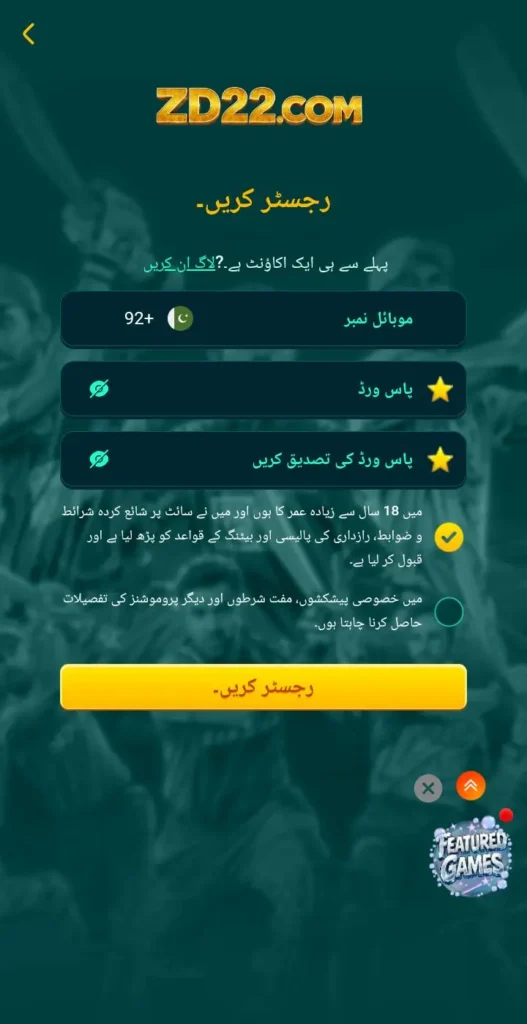
Open the ZD22 App
Tap the ZD22 icon on your phone to open the app. Wait a few seconds for it to load.
Go to the Registration Page
On the home screen, look for the Register or Sign Up button and tap it.
Enter Your Details
Fill in the required information carefully:
- Name: Enter your real name or nickname.
- Email or Phone Number: Use an active email or mobile number to receive verification codes.
- Password: Choose a strong password that is hard for others to guess.
Verify Your Account
ZD22 will send a verification code to your email or phone number. Enter the code in the app to confirm your account.
Set Up Your Profile
Once verified, you can set up your profile by adding a profile picture and other optional details.
Start Playing
After registration, your account is ready! You can now explore the games, participate in challenges, and start earning rewards.
Tips for a Safe Registration
- Use a strong password and do not share it with anyone.
- Always verify your account through the official app messages.
- Avoid using someone else’s email or phone number to register.